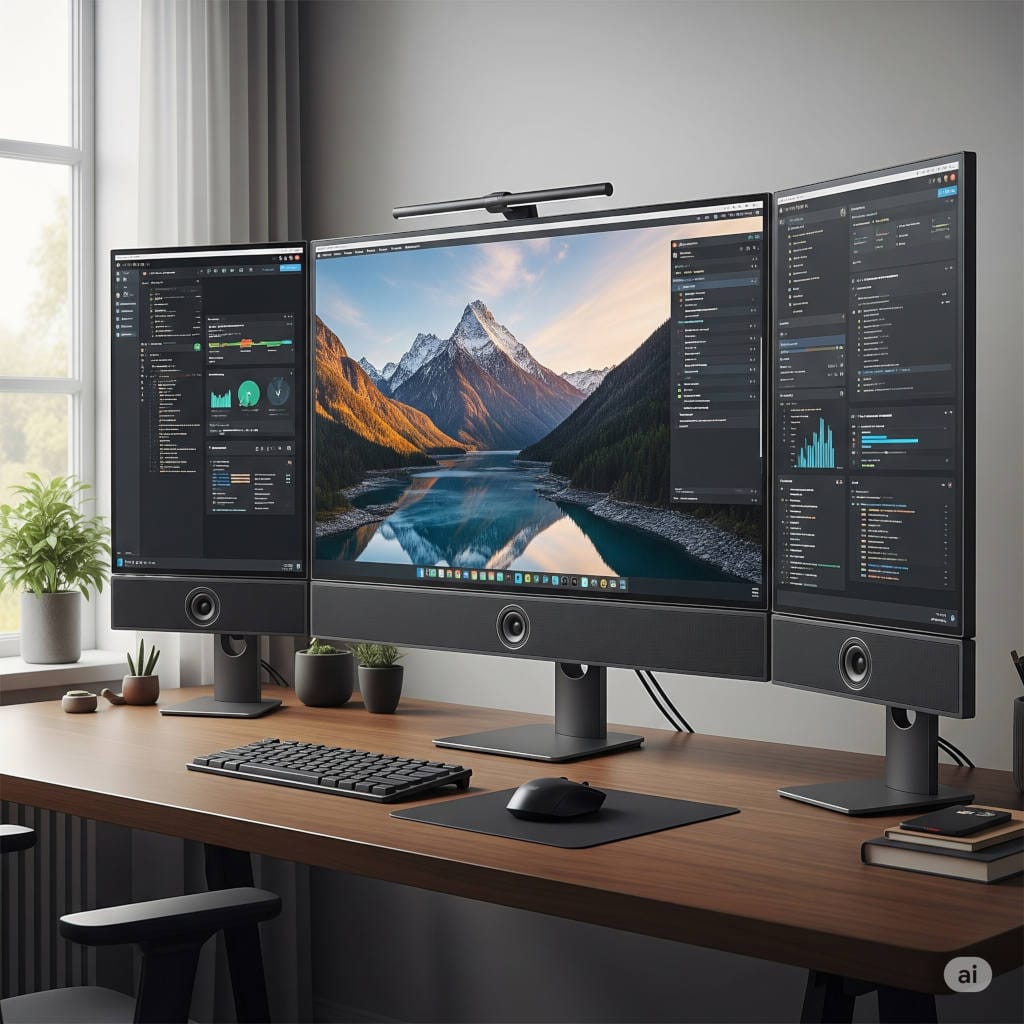
The home office has become more than a temporary solution. For many of us, it’s now the main place where we spend our workday. As a result, people want their setups to be clean, streamlined, and versatile. A good monitor is already the centerpiece of most workspaces, but one question keeps popping up: should I get a monitor with built-in speakers?
In 2026, the answer is leaning toward yes—if your priorities are convenience, reduced clutter, and an all-in-one solution. Monitors with integrated speakers won’t blow away a pair of dedicated studio speakers, but they’re surprisingly capable for the everyday tasks that matter: video calls, streaming a podcast in the background, catching up on YouTube, or watching a Netflix episode after hours.
This guide dives deep into the best monitors with built-in speakers for home office use in 2026. We’ll explore the top models, their strengths, and who they’re best for. Along the way, you’ll learn what to expect from monitor audio, how to choose the right display for your space, and tips for getting the most out of your built-in speakers.
Grab a coffee—this is a long one, but by the end, you’ll know exactly which screen deserves a spot on your desk.
Why choose a monitor with built-in speakers?
Before we jump into recommendations, let’s talk about why you might want speakers built directly into your monitor.
1. Fewer cables, cleaner desk
Every gadget you add to your desk comes with its own wires, adapters, and space requirements. Integrated speakers mean one less set of cables running across your desk and one less device to dust off.
2. Perfectly fine sound for most office needs
You don’t always need booming bass or audiophile clarity. For Zoom calls, Slack huddles, training videos, or a Spotify playlist at low volume, built-in speakers are more than adequate.
3. More flexible setups
If your home office doubles as a dining room table, guest room, or shared space, you may not want extra gear cluttering things up. A monitor with built-in speakers makes it easier to move your entire workstation with minimal fuss.
4. Cost efficiency
While premium external speakers can sound fantastic, they also add cost. If you’re not a heavy music listener, paying more for speakers you’ll rarely use doesn’t make sense. A solid monitor with speakers gives you two devices in one.
What to expect from built-in monitor speakers in 2026
Let’s set realistic expectations. Integrated monitor speakers today are far better than they were even five years ago, but they still prioritize convenience over raw sound quality.
Here’s what most home office users can expect:
- Adequate power: The most common configuration is 2 watts per channel. Some mid-range models step up to 3 watts, while higher-end or collaboration-focused monitors include 5 watts per channel or more.
- Voice clarity over bass: Manufacturers tune built-in speakers to make voices clear, not to rattle your desk with low-end punch. That’s perfect for meetings, less so for EDM playlists.
- Better integration: Some monitors now combine speakers with built-in webcams, microphones, and even smart assistants—turning them into true “work hubs.”
- Surprisingly good premium options: Apple’s Studio Display and some high-end smart monitors pack multi-speaker arrays that sound as full as a small soundbar.
If you want professional-grade audio for video editing or immersive music, you’ll still want external speakers or good headphones. But if your goal is simplicity and decent everyday sound, integrated speakers are absolutely good enough.
The best monitors with built-in speakers (2026 edition)
Here are the top monitors you can buy in 2026 that combine a great screen with practical, built-in audio. I’ve grouped them by use case so you can quickly find the one that matches your needs.
1. Samsung Smart Monitor M8 (M80D, 32″ 4K)
Best all-around smart monitor for work and streaming
If you want a monitor that doubles as a mini smart TV, Samsung’s latest Smart Monitor M8 is a winner. The 2025 refresh (M80D) offers a 32-inch 4K display, built-in speakers, a detachable webcam, and Samsung’s Tizen smart TV platform. That means you can stream Netflix or YouTube without even turning on your laptop.
Why it works for a home office:
- Built-in apps for streaming when you’re off the clock
- USB-C with power delivery for simple laptop docking
- Integrated speakers that handle meetings and casual viewing without fuss
- Remote control included for easy switching between work and play
Best for: hybrid setups where the home office doubles as an entertainment space.
2. Apple Studio Display (27″ 5K)
Best sound quality in a monitor, period
If audio is just as important as visuals, the Apple Studio Display remains unmatched. Its six-speaker system with force-cancelling woofers delivers rich, room-filling sound, and it even supports Spatial Audio for a more immersive effect. On top of that, it includes excellent built-in microphones and a camera—making it an all-in-one powerhouse for video calls.
Why it works for a home office:
- Best-in-class integrated sound system
- Stunning 5K Retina display, perfect for design and text clarity
- Seamless experience for Mac users
Best for: professionals who spend a lot of time on video calls or anyone who values top-tier audio without external speakers.
3. ASUS ProArt PA279CV (27″ 4K)
Best color-accurate 4K monitor with speakers on a budget
If you’re a creator or designer who needs color precision but doesn’t want to clutter your desk with extra gear, the ASUS ProArt PA279CV is a smart buy. It comes factory-calibrated for color accuracy and offers 2-watt built-in speakers—good enough for everyday use.
Why it works for a home office:
- Exceptional color accuracy for photo, video, and design work
- USB-C with 65W power delivery simplifies laptop connectivity
- Built-in speakers keep things tidy
Best for: designers, video editors, or anyone who prioritizes color fidelity.
4. LG 32UP83AK-W 32-inch Ultrafine 4K
Best big-screen productivity monitor with decent audio
For those who want more screen real estate, LG’s 32UP83AK-W is a 32-inch 4K IPS monitor with strong ergonomics, wide color coverage, and 90W USB-C power delivery. Its speakers, enhanced with MaxxAudio processing, are better than the average 2-watt fare.
Why it works for a home office:
- 32-inch 4K screen lets you work with multiple windows comfortably
- USB-C docking with high wattage supports bigger laptops
- Above-average audio performance
Best for: multitaskers who want a large, clear workspace without external speakers.
5. Dell S2725QC (27″ 4K)
Best affordable 4K office monitor with speakers
Dell’s S2725QC is a great all-around pick for office professionals. It has a sharp 27-inch 4K panel, USB-C connectivity, ergonomic stand, and dual 3-watt speakers. The audio isn’t mind-blowing, but it’s more than enough for meetings and background tunes.
Why it works for a home office:
- Clean Dell design that fits any office aesthetic
- 3-watt speakers are slightly stronger than basic options
- Excellent value for money
Best for: budget-conscious professionals who still want 4K resolution.
6. BenQ EW2790Q
Best for mixed work and entertainment
BenQ’s EW2790Q is a sleeper hit for people who split their monitor between work tasks and after-hours entertainment. Its 27-inch 2K screen comes with HDR support, built-in 5-watt speakers, and even a remote control. BenQ also includes special sound modes, like a “Night Mode” that emphasizes voice clarity at lower volumes.
Why it works for a home office:
- Handy remote control for quick adjustments
- Sound presets tailored for different content
- Affordable 2K monitor with solid build quality
Best for: anyone who wants one monitor for both productivity and media consumption.
7. Philips 27E1N5600HE (27″ QHD)
Best all-in-one collaboration monitor
This Philips model is designed for people who live on video calls. It includes a 5 MP Windows Hello webcam, a noise-cancelling microphone, and dual 5-watt speakers—everything you need for meetings built right into the monitor.
Why it works for a home office:
- Truly all-in-one: camera, mic, and speakers
- 5-watt speakers are stronger than most integrated options
- QHD resolution is a nice balance of clarity and price
Best for: professionals who want a clutter-free, ready-to-go video conferencing setup.
8. ViewSonic VG2756V-2K (27″ QHD)
Best alternative collaboration monitor
Similar to the Philips, the ViewSonic VG2756V-2K focuses on hybrid work. It offers a built-in camera, USB-C docking features, and stronger 5-watt speakers than the usual baseline.
Why it works for a home office:
- Designed for meetings and collaboration
- Ergonomic adjustments make long days more comfortable
- Good balance between price and features
Best for: users who want a strong collaboration monitor but prefer ViewSonic’s design approach.
9. MSI Modern MD272QXP (27″ QHD)
Best stylish monitor with slightly better audio
The MSI Modern series is aimed at professionals who want a sleek, modern-looking workspace. The MD272QXP comes with USB-C power delivery, a height-adjustable stand, and dual 3-watt speakers that perform a bit better than the usual 2-watt drivers.
Why it works for a home office:
- Stylish and modern design
- Easy single-cable laptop docking
- Louder-than-average built-in speakers
Best for: professionals who care about aesthetics and practicality in equal measure.
How to choose the right one: buyer’s checklist
Here are the main things to consider before hitting the buy button:
Size and resolution
- 27-inch 4K: sharp, great for detail-oriented work.
- 32-inch 4K: more comfortable multitasking with less scaling.
- 27-inch QHD: affordable sweet spot for office work.
USB-C with power delivery
One cable to connect your laptop, charge it, and handle data is a huge convenience.
Speaker wattage
- 2-watt: fine for voice and light music.
- 3-watt: a little fuller, better for daily use.
- 5-watt or higher: loud enough to skip external speakers entirely.
Ergonomics
A height-adjustable stand with tilt, swivel, and pivot can save your neck and shoulders.
Color quality
If you’re doing creative work, go for monitors that are factory-calibrated or cover 100% of sRGB/Rec.709.
Smart features
Decide if you want your monitor to act like a TV (Samsung Smart M8) or stick to a work-first approach (ASUS, Dell, Philips).
Tips to make built-in speakers sound better
Even the best monitor speakers benefit from a little fine-tuning.
- Check placement: Don’t push rear-firing speakers flush against a wall; give them space to breathe.
- Use sound modes: If your monitor includes presets (like BenQ’s), use “Voice” mode for meetings.
- Reflect sound properly: If your monitor has downward-firing speakers, a desk mat can help bounce the sound toward you.
- Adjust OS settings: Make sure your computer switches to the monitor as the default audio device when you connect.
- Keep volume moderate: Pushing tiny speakers to max volume can distort sound—moderate levels often sound clearer.
FAQs
Are monitor speakers good enough for music?
For casual listening, yes. For serious music enjoyment or production, a dedicated set of speakers or headphones will still sound much better.
Do all monitors come with speakers?
No. Many popular monitors, especially gaming models, skip speakers to save cost or focus on other features. Always check the spec sheet before buying.
Do built-in speakers add much to the cost?
Not really. Most of the price difference comes from panel technology, resolution, or USB-C features. The speakers are just a nice bonus.
Should I still get a webcam and microphone separately?
If you want top quality, yes. But if convenience matters most, models like the Philips 27E1N5600HE or ViewSonic VG2756V-2K give you everything in one package.
Comparison Table: Best Monitors with Built-In Speakers for Home Office (2026)
| Monitor | Screen Size & Resolution | Speaker Wattage | Ports & Connectivity | Best For |
|---|---|---|---|---|
| Samsung Smart Monitor M8 (M80D) | 32″ 4K (3840×2160) | Dual ~5W speakers | USB-C w/ power delivery, HDMI, Wi-Fi, Smart TV apps | Hybrid work & streaming, all-in-one smart monitor |
| Apple Studio Display | 27″ 5K (5120×2880) | Six-speaker array (force-cancelling woofers + tweeters) | Thunderbolt 3, 3× USB-C | Best-in-class audio, Mac users, video calls |
| ASUS ProArt PA279CV | 27″ 4K (3840×2160) | 2W × 2 | USB-C (65W PD), DisplayPort, HDMI, USB hub | Creators & designers needing color accuracy |
| LG 32UP83AK-W 32-inch Ultrafine 4K | 32″ 4K (3840×2160) | 5W × 2 (MaxxAudio enhanced) | USB-C (90W PD), DisplayPort, HDMI, USB hub | Large-screen productivity & multitasking |
| Dell S2725QC | 27″ 4K (3840×2160) | 3W × 2 | USB-C (65W PD), HDMI, DisplayPort | Affordable 4K office monitor |
| BenQ EW2790Q | 27″ 4K (3840×2160) | 3W × 2 | USB-C, HDMI, DisplayPort, headphone jack | Balanced work & entertainment |
| Philips 27E1N5600HE | 27″ QHD (2560×1440) | 5W × 2 | USB-C (65W PD), HDMI, DisplayPort, USB hub | All-in-one collaboration (speakers + webcam + mic) |
| ViewSonic VG2756V-2K | 27″ QHD (2560×1440) | 5W × 2 | USB-C, HDMI, DisplayPort, Ethernet (dock features) | Video conferencing & hybrid work setups |
| MSI Modern MD272QXP | 27″ QHD (2560×1440) | 3W × 2 | USB-C (65W PD), HDMI, DisplayPort | Stylish office setup, productivity focus |
Final recommendations
- Best for all-around use: Samsung Smart Monitor M8 (M80D)
- Best for audio quality: Apple Studio Display
- Best for creative pros on a budget: ASUS ProArt PA279CV
- Best large-screen productivity option: LG 32UP83AK-W
- Best affordable 4K: Dell S2725QC
- Best work-and-play balance: BenQ EW2790Q
- Best collaboration monitors: Philips 27E1N5600HE or ViewSonic VG2756V-2K
- Best stylish office monitor: MSI Modern MD272QXP
The bottom line
In 2026, monitors with built-in speakers are no longer a throwaway feature. They’ve matured into genuinely useful, time-saving additions that make your desk cleaner and your day a little simpler. Whether you’re a creative professional, a hybrid worker constantly on video calls, or just someone who wants fewer gadgets to manage, there’s a monitor here that will meet your needs.
Choosing one comes down to how you balance screen quality, convenience, and audio expectations. For most home offices, a monitor with 3–5 watt speakers and USB-C connectivity strikes the sweet spot. For those who want the very best, models like the Apple Studio Display prove that integrated audio can rival standalone gear.
So if you’re setting up or refreshing your home office this year, consider simplifying your desk with one of these all-in-one displays. You might be surprised how much you enjoy working—and relaxing—without that extra set of cables snaking across your desk.