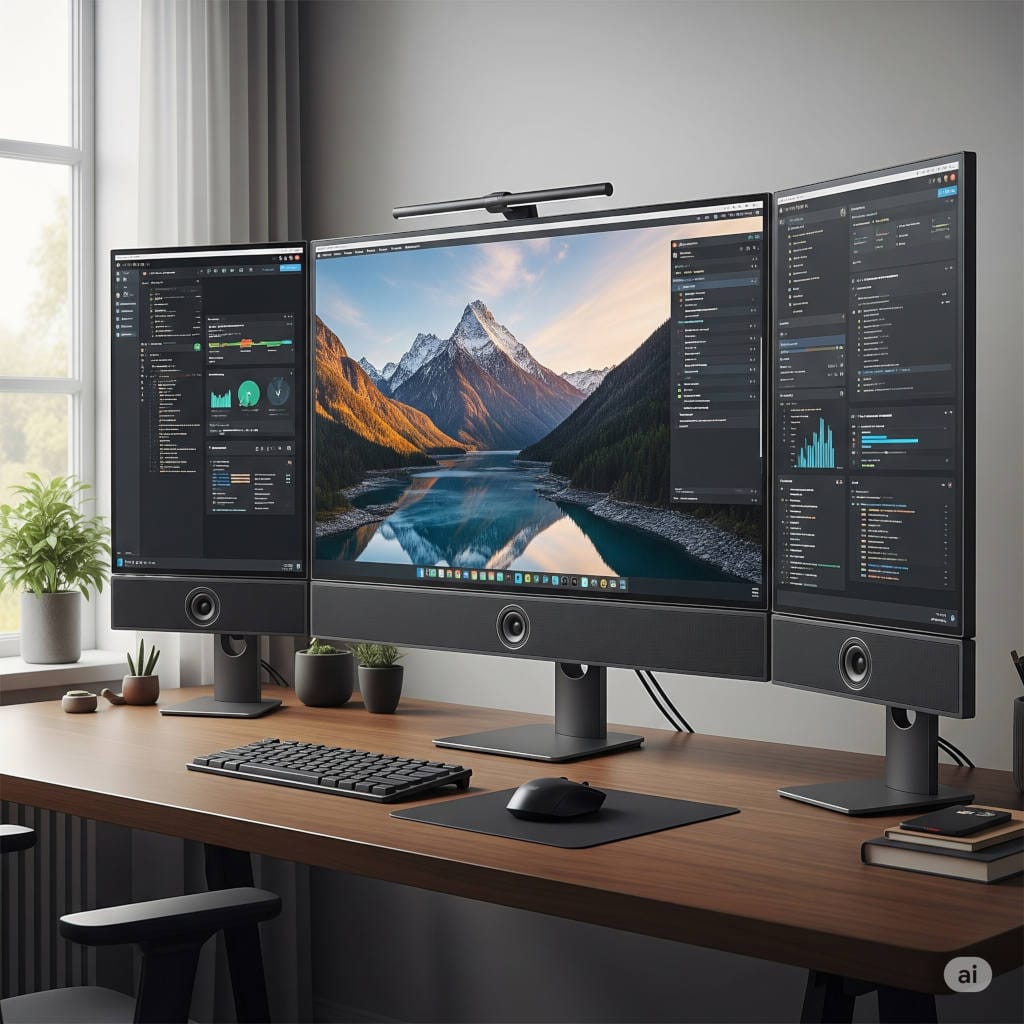
As we head into 2026, computer monitors are becoming more versatile than ever. With advancements in display technology and a growing emphasis on clean, minimalist setups, many people are wondering if monitors that come with integrated speakers are finally a smart choice. Imagine plugging in just one cable and getting both stunning visuals and decent sound—no extra speakers cluttering your desk, no tangled wires, just a streamlined workspace ready for work, gaming, or entertainment.
In this guide, we’ll explore whether these all-in-one monitors are truly worth it in 2026. We’ll cover the real benefits for everyday users, the limitations that still exist, the latest improvements in audio tech, and some top recommendations based on current trends and reviews. Whether you’re building a home office, upgrading your gaming rig, or simply want a tidier desk, this article will help you make an informed decision.
What Exactly Are Monitors with Built-in Speakers?
These monitors have small audio drivers built directly into the frame, often along the bottom or sides. They draw power from the monitor itself and receive sound signals through the same HDMI, DisplayPort, or USB-C cable that handles video. This setup is perfect for basic audio needs without any additional equipment.
Years ago, integrated speakers were often lackluster—thin and quiet. But by late 2025 and into 2026, improvements in design and digital processing have made them much more usable for casual listening. Many now feature stereo pairs with 5W or more per channel, providing clear sound for calls, videos, and light music playback.
The growing popularity comes from our shift toward compact living spaces and hybrid work. A single device handling both sight and sound appeals to anyone who values simplicity and a clean aesthetic.
The Key Advantages: Why They’re Appealing in 2026
One of the standout benefits is how much space they save. In small apartments, dorms, or crowded desks, eliminating external speakers means more room for your keyboard, mouse, or notes. Setup becomes incredibly easy: connect one cable, and you’re good to go with both picture and sound.
They’re also kinder on your wallet. The added speakers usually increase the price by only a small amount compared to similar models without them. For budget setups, this means getting functional audio without buying separate gear.
For daily tasks like video conferences, streaming shows, or background podcasts, the sound quality is often perfectly adequate. Voices come through clearly, and many models now include basic enhancements for better dialogue or volume balancing.
In gaming, subtle directional cues can add immersion without needing a full surround system. Plus, with sustainability in mind, fewer separate devices reduce power use and electronic waste.
If you’re a remote worker, student, or casual user, these monitors offer a hassle-free way to handle everyday audio needs while keeping your space organized and modern.
The Drawbacks: Areas Where They Still Fall Short
That said, built-in speakers aren’t perfect for everyone. The main issue remains sound quality. Due to their small size and placement within slim monitor frames, they often lack deep bass and full volume. Audio can sound somewhat flat or distant, especially in larger rooms or for music-heavy use.
You’re also committed to those speakers long-term. If your needs evolve toward better audio, you’ll likely end up adding external options anyway, reducing the all-in-one appeal.
Sound direction can be suboptimal too—many fire downward or to the sides, leading to less direct listening. In setups with multiple monitors, the audio might feel unbalanced.
For serious gamers, music enthusiasts, or content creators, dedicated speakers or headphones will almost always provide a superior experience with richer details and power.
Exciting Trends Heading into 2026
The good news is that audio integration is improving rapidly. Digital signal processing helps smaller drivers produce fuller, more balanced sound by adjusting for room conditions or content type.
Some emerging models use innovative techniques like panel vibration to create wider soundstages. AI-driven features are starting to appear, automatically optimizing audio for calls or media.
Gaming monitors are leading with higher-wattage speakers and spatial audio support. Premium lines are incorporating better materials and tuning for clearer highs and mids.
While top-tier advancements hit high-end models first, they’re gradually reaching mid-range options, narrowing the gap between built-in and external audio.
Standout Monitors to Consider in 2026
Based on late 2025 favorites and upcoming releases, here are some strong options across categories:
For productivity and calls, look at 27-inch full HD models like the Dell S2725HS series. They feature dual 5W speakers that deliver clear, rich sound for conferences, along with ergonomic stands and vibrant IPS panels.
Gamers might prefer larger options with higher power, such as 43-inch 4K displays offering 12W stereo setups for more immersive casual play.
Innovative dual-mode monitors, switching between high-resolution and ultra-fast refresh rates, often include advanced vibrating panel audio that’s surprisingly effective.
Budget-friendly 24-27 inch IPS screens with 3-5W speakers excel for everyday office or home use, providing good clarity without extras.
Premium smart monitors combine 4K visuals with enhanced stereo sound, ideal for entertainment hubs.
Always check wattage, user feedback on audio, and connectivity to match your setup.
Alternatives for Better Sound Quality
If built-ins don’t suffice, compact external speakers or soundbars offer significant upgrades in depth and volume while maintaining a clean look. Wireless options add flexibility.
Headphones provide private, high-fidelity listening—great for focused work or immersive gaming.
For audiophiles, bookshelf speakers deliver the richness that integrated options can’t match.
Who Should Choose a Monitor with Built-in Speakers in 2026?
They’re ideal if space is limited, your audio needs are moderate (calls, videos, notifications), or you prioritize simplicity. Remote workers, students, and minimalists will appreciate the convenience most.
Skip them if you crave powerful bass, detailed music reproduction, or professional-grade immersion—invest in separate audio instead.
Your Step-by-Step Buying Tips
Start by defining your main uses: office work, gaming, or media? Choose screen size and resolution first, then evaluate speaker power and reviews.
Budget from entry-level around $150 to premium over $800. Prioritize ergonomic features and ports that support audio reliably.
Test in person if possible, focusing on real-world sound. Look for models with software tweaks for better performance.
Consider warranty and eco-friendly aspects too.
Common Questions Answered
Will they work with my setup? Most do via standard cables, but confirm for older systems.
Can I disable them for external audio? Easily through your computer’s settings.
Good for music or movies? Casual yes, but dedicated systems excel for depth.
How to optimize sound? Position at ear level, use equalizers, or add a small booster if needed.
What if they stop working? Covered under typical monitor warranties.
Final Thoughts: A Solid Choice for Many in 2026
Monitors with built-in speakers have evolved into a practical feature for everyday users seeking convenience and cleanliness. While they won’t replace high-end audio setups, ongoing improvements make them more capable than ever.
If a tidy, all-in-one solution aligns with your needs, they’re absolutely worth considering. For ultimate sound quality, pair a great display with dedicated speakers.
Ultimately, it comes down to your priorities and space. What’s your experience—do built-in speakers meet your needs? Share your thoughts below!